The domain lapsed, the old VPS still bills,
and nobody knows what the project costs.

A few side projects in, the domains, servers, databases and subscriptions are spread over a dozen invoices. Assetboard is a macOS app that keeps their dates and costs on your own Mac.

“I forgot to renew the domain and found out when the site went down.”

The renewal email went to spam, or the card on file had expired. Assetboard sends a system notification 30, 7 and 1 days before expiry, even when the app is closed. After expiry it shows whether the domain is in its grace or redemption period.

Notifications
30, 7 and 1 days before
Registry check
RDAP, by hand · weekly
After expiry
Grace or redemption shown
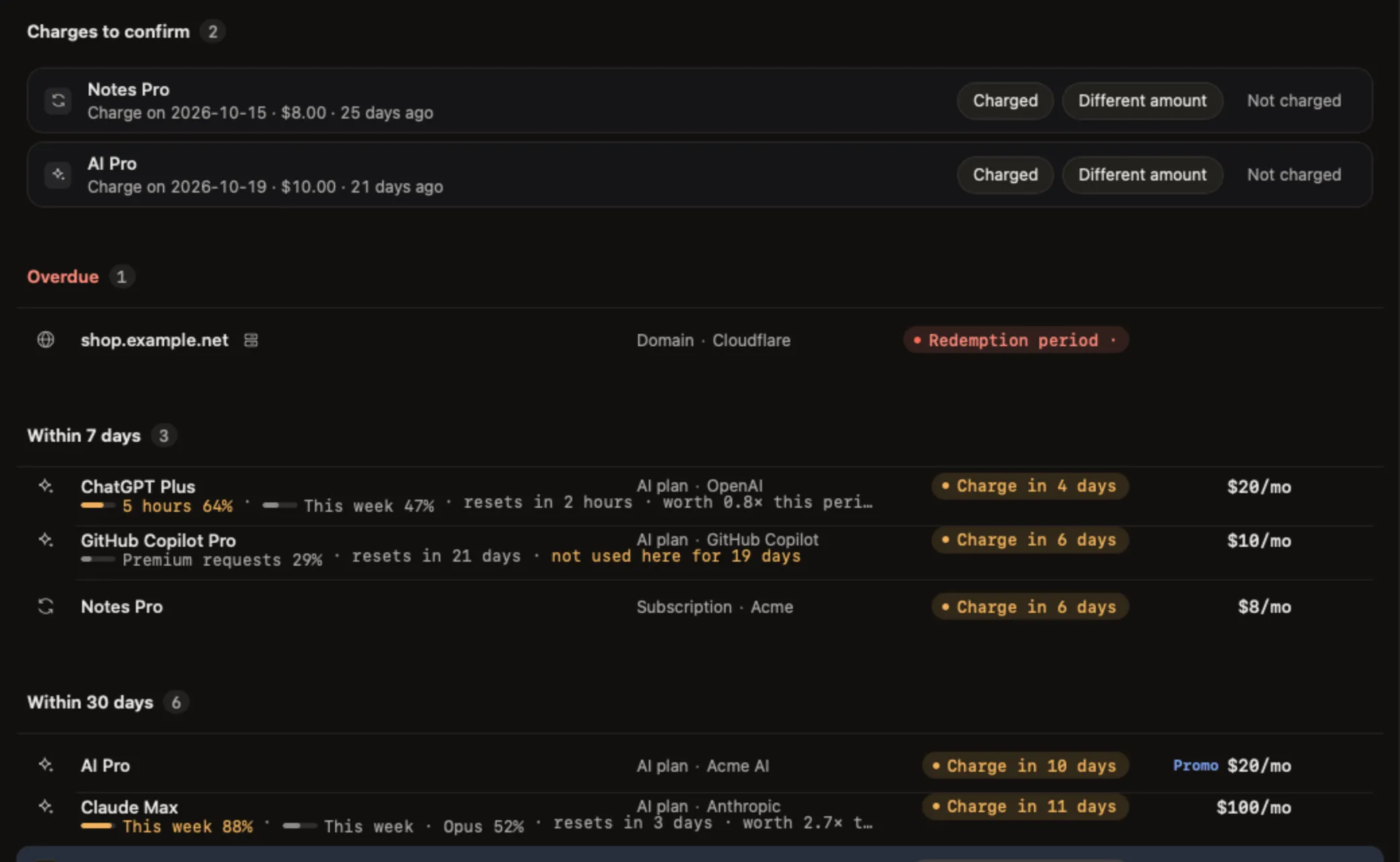
Upcoming: two charges to confirm at the top, then overdue, within 7 days, within 30 days and later

“There's a server I stopped using months ago. It's still charging me.”

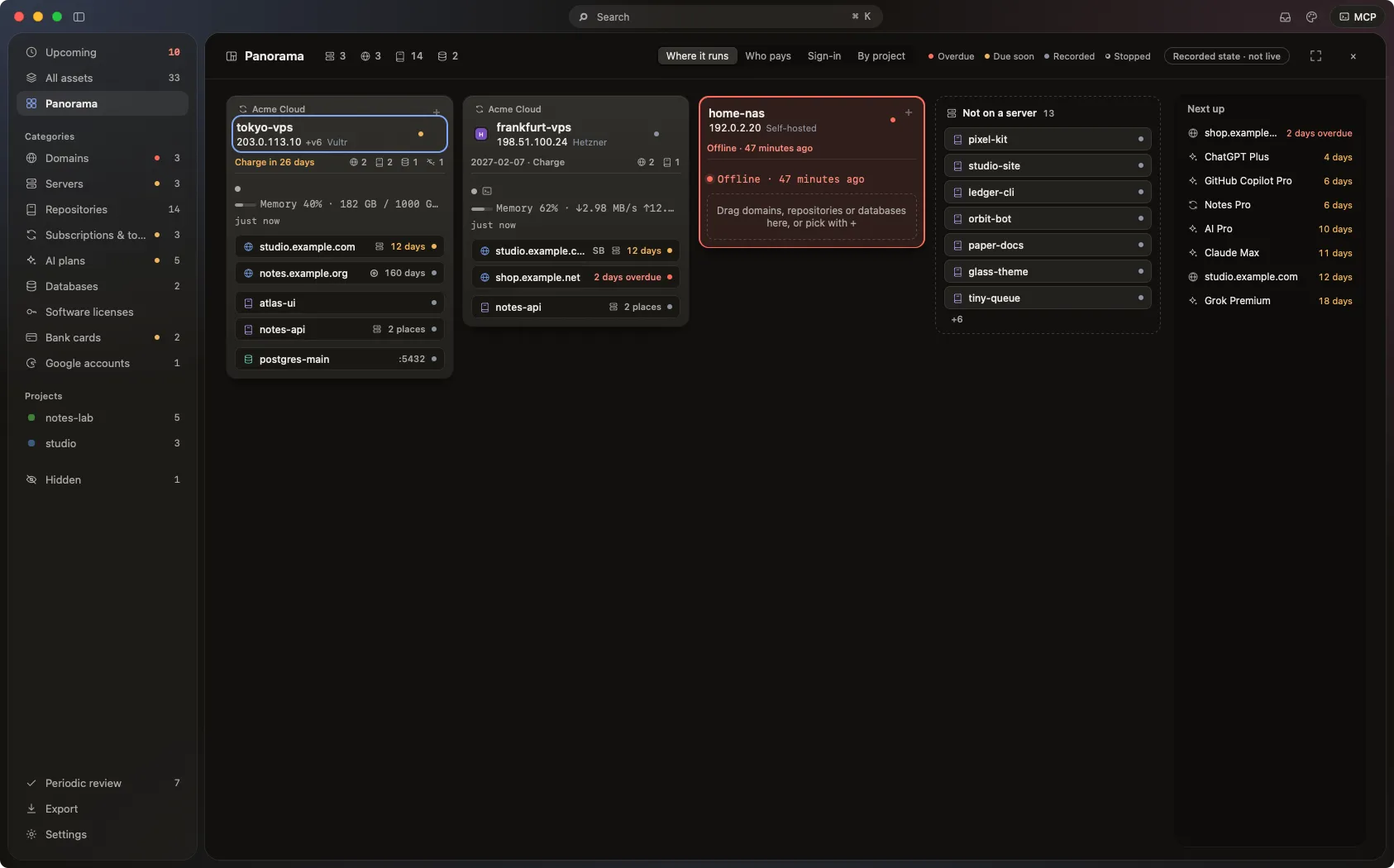
The experiment ended, the VPS stayed. Add the server with its price and cycle and it is counted in the totals. The panorama gives each server a card with the domains, repositories and databases on it, so you can see what still depends on it before you delete it.

Import
Pick a host from ~/.ssh/config
Auto-renewals
Wait for you to confirm the charge
Monthly charges
Reminded 3 and 1 days before
The panorama: one card per server listing the assets on it

“How much does this project actually cost me a month?”

A domain here, a VPS there, a database and an AI plan on two more invoices. Put them in one project and see what it costs per month, what you paid this year and what the next 12 months will cost. If you shut it down, get a list ordered by deadline.

Example
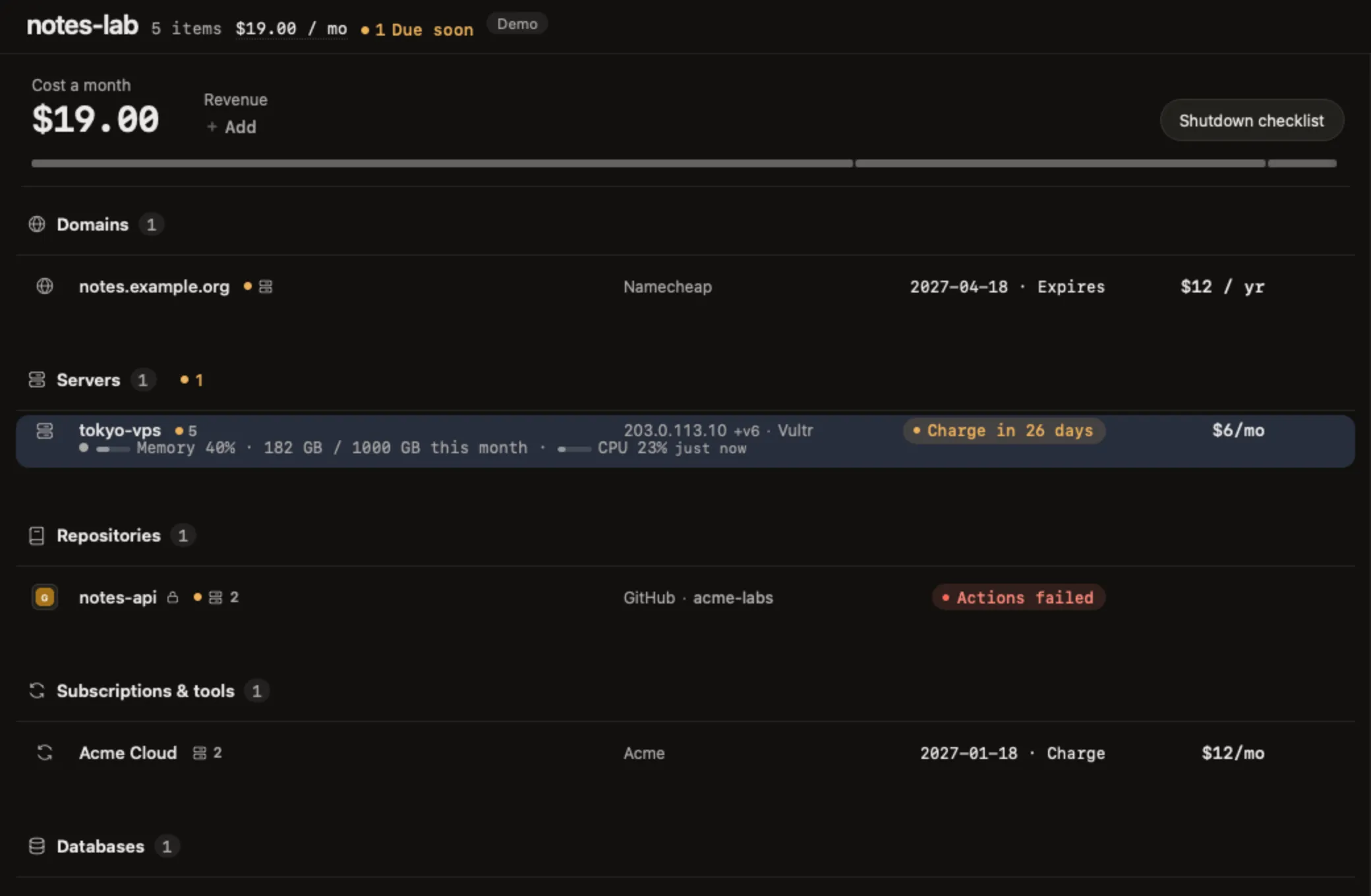
notes-lab: domain, VPS, repository, database, cloud account
Payments
Paid this year · next 12 months
Shutdown list
By deadline, with the monthly saving
The notes-lab project: its 5 assets by category, the $19.00 monthly total and the shutdown list button at the top, and tokyo-vps with this year's payments on the right

All of this is in the free, open-source app. The official Pro plugin, currently free, lets AI tools change, delete and tidy up what is on the board. Screenshots are from demo mode; the data is fictional.

Where the data lives

In a SQLite file on your Mac. No account, no cloud sync, no telemetry in the app. The source is on GitHub if you want to build it yourself.