Five AI plans, three currencies,
and which ones you actually use.

ChatGPT through the App Store, Claude on the website, Cursor and Copilot on a card. Assetboard lists every AI plan with its price and next charge, and shows how much of each tool’s limit you have used.

Pick the plan; the price is filled in

The AI form lists the common plans of Claude, ChatGPT, Gemini, Cursor, Copilot and more with their current prices, and you can add several at once. ChatGPT and Google AI plans carry the vendor’s own prices in euros and pounds (Google in yen too). ChatGPT and Claude plans also offer the App Store price under “Bought through”.

Plans
Claude · ChatGPT · Gemini · Cursor · Copilot…
Vendor prices
EUR · GBP, JPY for Google
App Store
US, and Turkey and Nigeria in USD
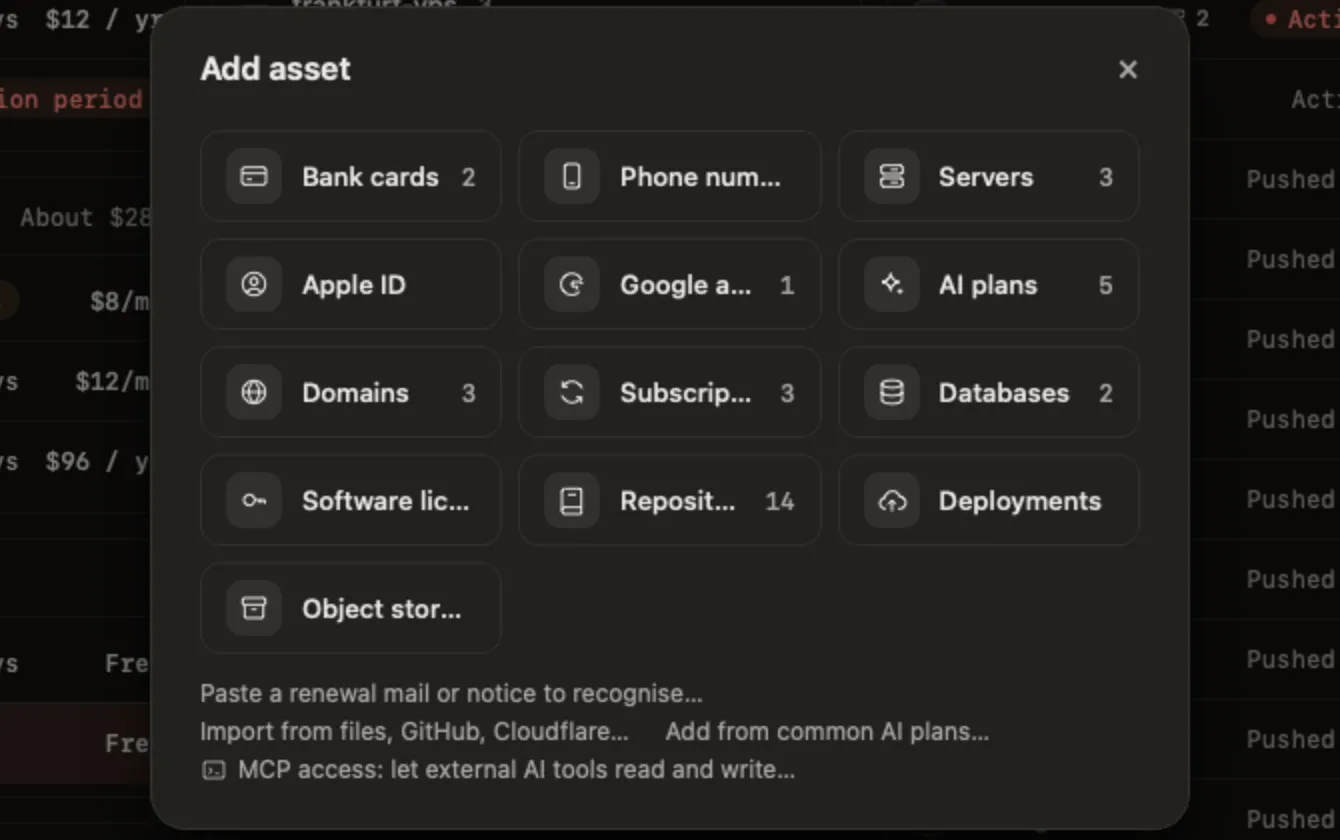
Adding an asset: every category in a grid with the number of records it holds

The limits next to the plan

For the AI tools signed in on this Mac, the app reads plan limits and usage with each tool’s own login, at most once every 10 minutes, and shows them on the matching AI subscription: close to the limit, idle, or worth its price at API rates. Only numbers, model names and times are kept; the login is read for the request and never stored.

Tools
Claude Code · Codex · Cursor · GitHub Copilot · Grok CLI · opencode · Antigravity
Refresh
At most every 10 minutes
Switch off
Per tool, in Settings
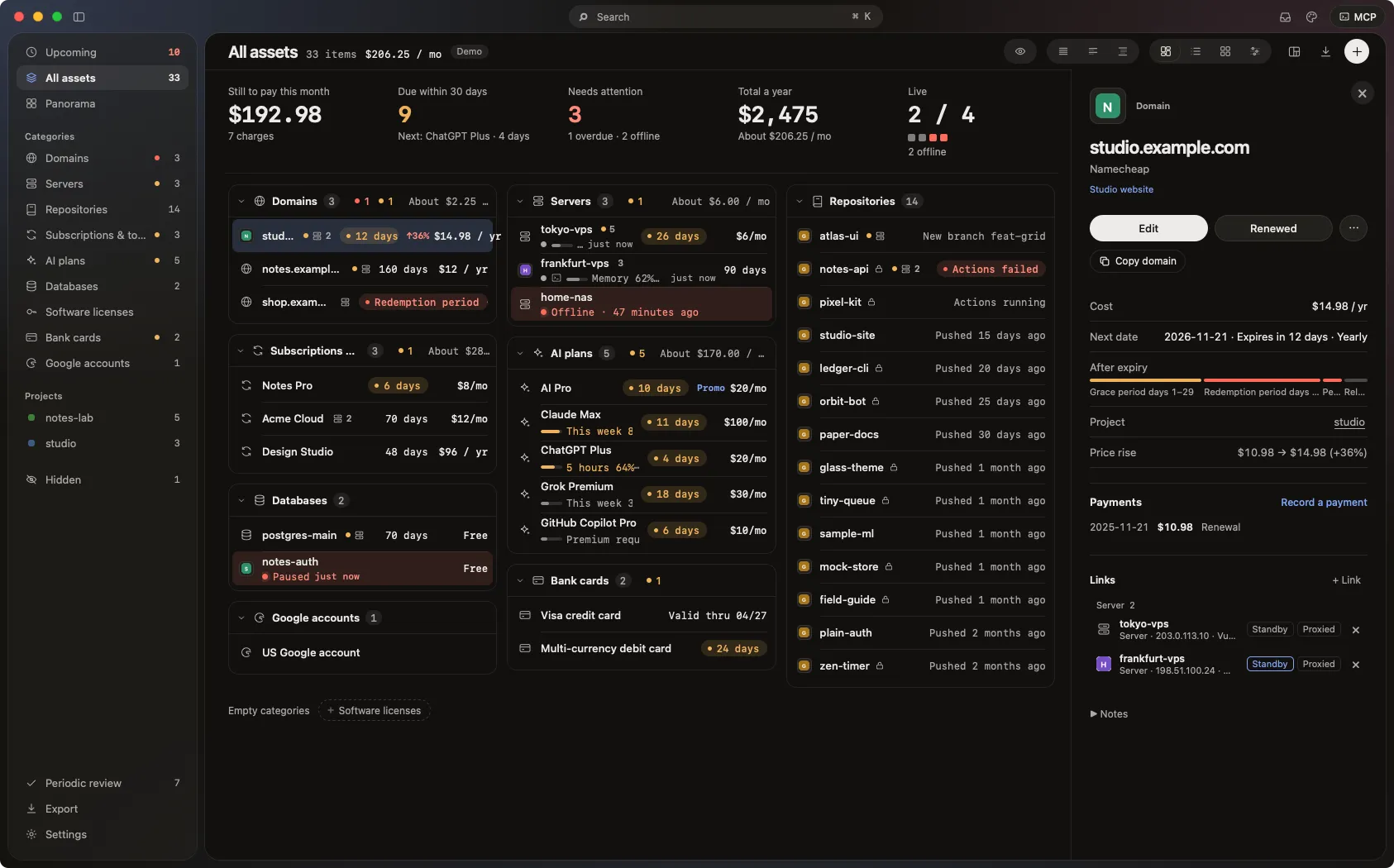
The tile wall: one panel per category, each line with its days left and cost

What it all costs a month

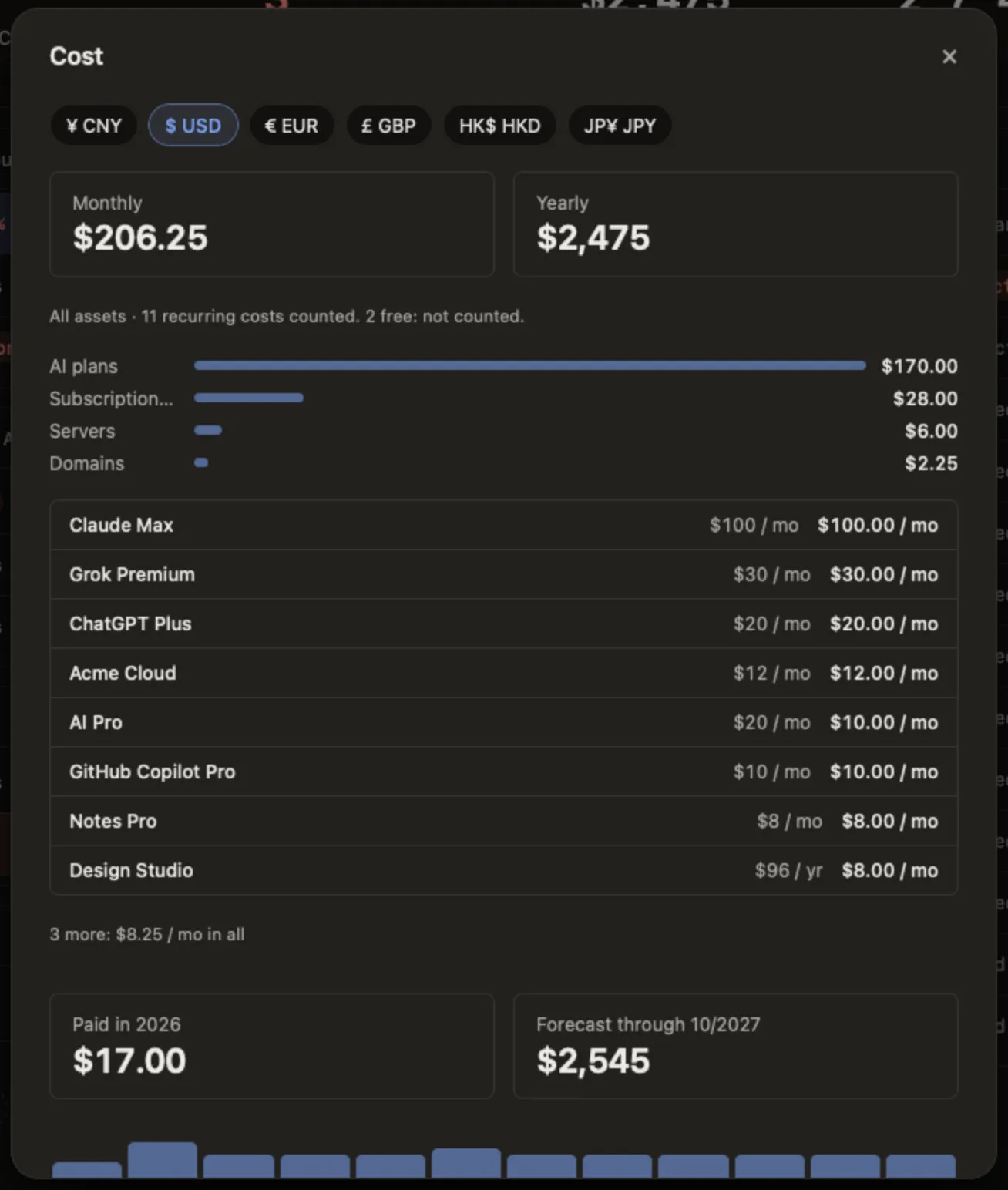
A monthly charge is reminded 3 and 1 days before. Totals come per month and per year in CNY, USD, EUR, GBP, HKD or JPY at the day’s ECB reference rates, with yearly plans counted per month. A price change is marked on the row and kept in a history, and the 12-month forecast shows every charge date.

Reminders
3 and 1 days before a charge
Currencies
CNY · USD · EUR · GBP · HKD · JPY
Forecast
Every charge in the next 12 months
The cost window: monthly and yearly totals, bars per category, the 12-month forecast

Screenshots are from demo mode; the data is fictional.

Questions

Does it read my conversations?

No. It reads only usage numbers, model names and times from each tool’s usage endpoint and local files, with that tool’s own login, which is never stored or logged.

Which AI tools’ limits can it show?

Claude Code, Codex, Cursor, GitHub Copilot, Grok CLI, opencode and Antigravity, when they are signed in on the same Mac.

Can I turn the usage reading off?

Yes, per tool, in Settings › Connections › AI limits. Every request the app makes is also listed in its network log.

Does it cancel subscriptions?

No. It shows what each plan costs and when it charges next; you cancel with the vendor.

Where the data lives

In a SQLite file on your Mac. No account, no cloud sync, no telemetry in the app. Free and open source (GPL-3.0); the source is on GitHub.